

How do I troubleshoot a display panel problem affecting the ignition electrode?
Jul 10, 2025
Leave a message
As a seasoned supplier of gas oven ignition electrodes, I've encountered numerous display panel problems that can affect the ignition electrode's performance. In this blog post, I'll share my insights on troubleshooting these issues to help you get your gas oven back up and running smoothly.
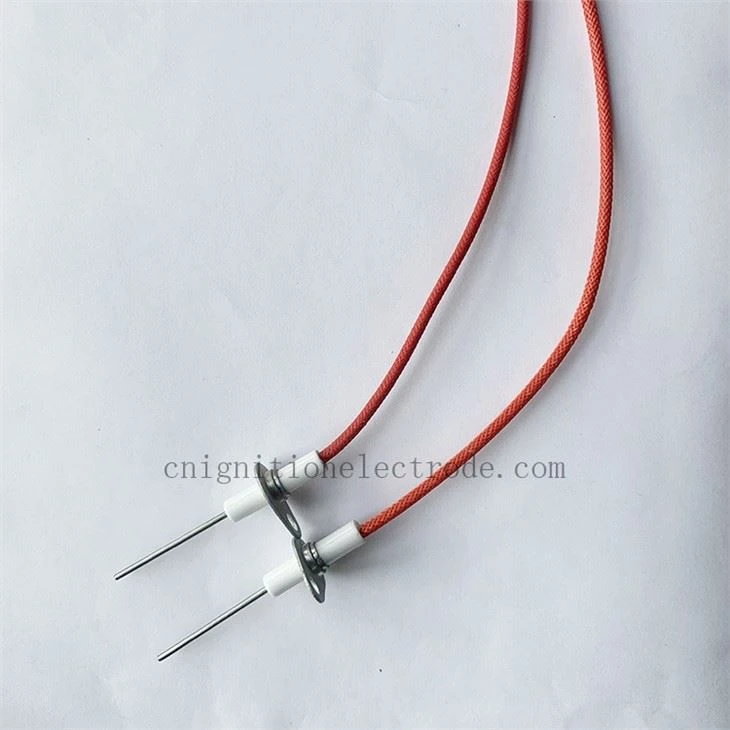

Understanding the Display Panel and Ignition Electrode Connection
The display panel of a gas oven serves as the control center, allowing users to set the temperature, cooking time, and other functions. It communicates with the ignition electrode, which is responsible for creating a spark to ignite the gas. When the display panel malfunctions, it can disrupt this communication, leading to ignition problems.
Common Display Panel Problems Affecting the Ignition Electrode
- Power Issues: A lack of power to the display panel can prevent it from sending the necessary signals to the ignition electrode. This can be caused by a blown fuse, a tripped circuit breaker, or a faulty power cord.
- Software Glitches: The display panel's software may encounter glitches, causing it to send incorrect signals to the ignition electrode. This can result in intermittent ignition or no ignition at all.
- Sensor Malfunctions: The display panel relies on sensors to detect the oven's temperature and other conditions. If these sensors malfunction, the display panel may not send the correct signals to the ignition electrode.
- Wiring Problems: Loose or damaged wiring between the display panel and the ignition electrode can disrupt the communication between the two components. This can lead to ignition problems or other issues.
Troubleshooting Steps
- Check the Power Supply: Start by checking the power supply to the oven. Make sure the oven is plugged in and that the circuit breaker or fuse is not tripped. If the power supply is fine, check the power cord for any damage.
- Reset the Display Panel: Sometimes, a simple reset can fix software glitches in the display panel. To reset the display panel, turn off the oven and unplug it from the power source. Wait for a few minutes, then plug the oven back in and turn it on.
- Inspect the Sensors: Check the sensors in the oven to make sure they are working properly. You can use a multimeter to test the sensors for continuity. If a sensor is malfunctioning, it may need to be replaced.
- Check the Wiring: Inspect the wiring between the display panel and the ignition electrode for any loose or damaged connections. If you find any loose connections, tighten them. If you find any damaged wiring, replace it.
- Test the Ignition Electrode: If all the above steps have been completed and the ignition problem persists, it may be necessary to test the ignition electrode. You can use a multimeter to test the electrode for continuity. If the electrode is not working properly, it may need to be replaced.
Using Our Products to Solve Ignition Electrode Problems
At our company, we offer a wide range of high-quality ignition electrodes for gas ovens. Our Ignition Electrode for Gas Oven is designed to provide reliable ignition, even in the most demanding conditions. We also offer Alumina Spark Plug For Oven and Ceramic Gas Oven Ignition Electrode, which are known for their durability and performance.
Conclusion
Troubleshooting a display panel problem affecting the ignition electrode can be a challenging task, but by following the steps outlined in this blog post, you can identify and resolve the issue. If you need further assistance or if you're interested in purchasing our high-quality ignition electrodes, please don't hesitate to contact us. We're here to help you get your gas oven back up and running smoothly.
References
- "Gas Oven Troubleshooting Guide," Appliance Repair Clinic
- "How to Test an Ignition Electrode," DIY Appliance Repairs